



Tableau Training Seminar June 4th,2016 Time : 3pm EST Address: 5900 Sawmill Road Dublin, OH 43017 Goto meeting links available. Contact chandraish@gmail.com
Learn Tableau
Cross table in Tableau
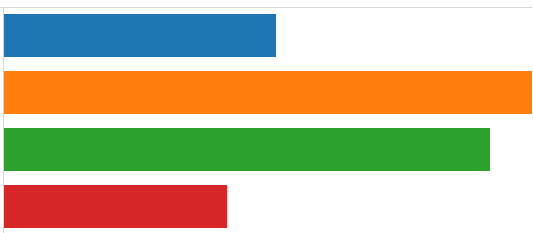
Cross table in Tableau is a special data structure where data is presented in a row and column format. See an example of a cross table below. This is a Sales Report of some fictitious company. This report shows the sale of Products by Employees to respective customers. Problems with loading Cross table in Tableau […]
How to dynamically generate a chart based on measure selection
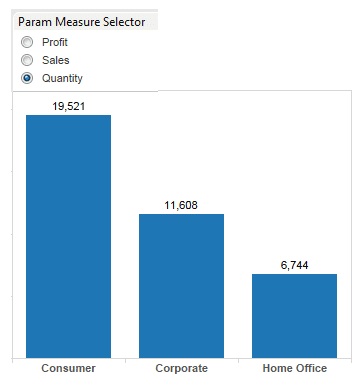
In this blog, I will discuss, how to dynamically generate a chart based on measures. Depending on the business requirement, sometimes you may have lot of key measures in your data. In such situation, you have a choice to – create separate chart for each measure or to create one chart and change the chart […]
Important keywords in Tableau
Tableau is an awesome tool for creating visualizations. A developer will use Tableau desktop to create charts,tables and maps. Before starting on Tableau development, it is good know the important keywords and concepts as used in Tableau. Important Keywords in Tableau 1. Data – When you launch Tableau desktop , the first thing you do, […]
How to create different Charts in Tableau – Part 2
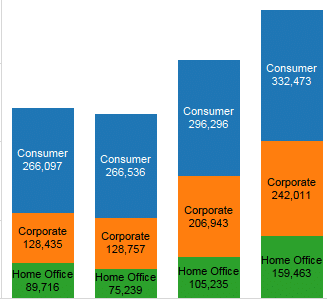
In my previous post how-to-create-different-charts-in-tableau-part-1 you have learned how to create Text table,Heat Maps,Maps and Pie charts. In this article i want to share with you some other types of charts. I will use Superstore.xls as data source. Superstore.xls comes with your Tableau installation and can be located in \Documents\My Tableau Repository\Datasources\ 1. Bar Chart Bar chart […]
How to create different Charts in Tableau – Part 1

Tableau provides whole range of Charts for data analysis. Given your data and requirements ,it is important to know which charts are best suited. In this blog, i will tell you how to create different types of charts in Tableau. I will use Superstore.xls as data source. Superstore.xls comes with your tableau installation and can […]
How to Create Maps in Tableau
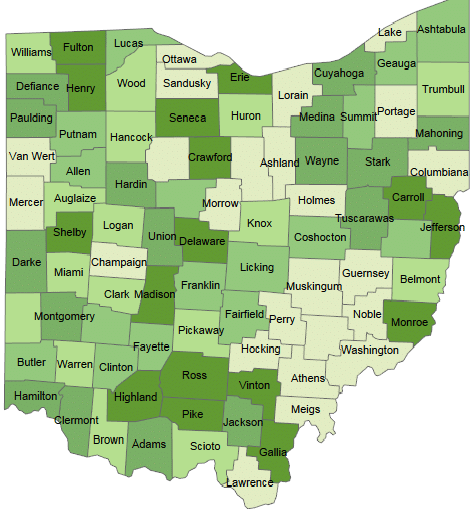
One of the strong features of Tableau is to create interactive Maps. Tableau automatically creates maps for the fields with geographical roles such as Country, City, Zipcodes etc. Tableau automatically generates Longitudes and latitudes for such fields. In this blog, i will create a Map using OHIO counties and Zipcodes. I have created a sample data set using […]
Tableau – Color coding

It is very useful to perform color coding in your visualization. You can show values which are above or below a threshold value in a different color. In Tableau you can achieve this by using a calculated field. Steps: Create a visualization according to your requirements Create a calculated field on the column you want […]
How to display charts based on a selection in Tableau
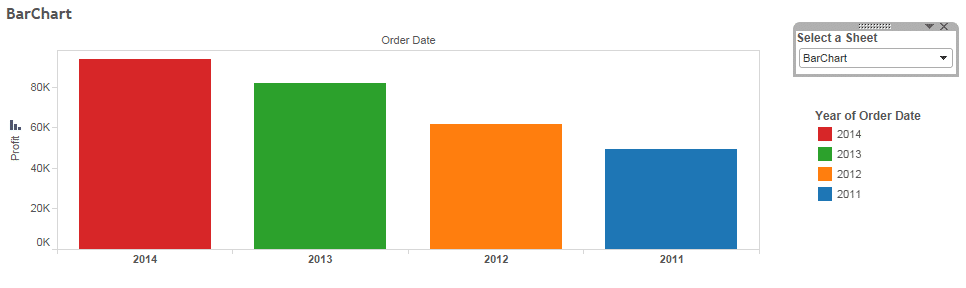
Sometimes your requirement demands that you display charts based on user selection. it is very easy to accomplish this task in Tableau. Steps to display charts based on selection in Tableau Connect to data source Create charts Create a parameter Create a filter which uses this parameter on each chart Display charts on the dashboard […]
Tableau – Data manipulation
Before data can be used in the visualizations, it is a best practice to prepare the data so that it can be meaningful. Preparing data includes but not limited to the following:- Giving user friendly names to dimensions and measures. To give user friendly names to any data element, right click on the data element, […]


 : http://techkoncepts.com/